Voila! Your Pen Tablet!
Ultra Fluid Mechanical Typing, 4 Replaceable Customized Cool New Shortcuts and a Dial.Meet Voila L with Extraordinary Feel and Personality Design.
Ultra Fluid Mechanical Typing
The Voila L pen tablet features 4 customized matte shortcut keys that are much more like the key on your keyboard, which delivers a familiar merchanical, comfortable and ultra-precise typing feel.
Unleash Your Pesonality
Unleash personality onto your deskspace and own fresh, replaceable keycap colors with Lively Orange and Classic Black, making it easy to set up the most common function such as Ctrl+Z or others. Let your true self shine with a statement desktop aesthetic.*Both 4 orange and 4 black keycaps are included.
Countless Customization
With the Dial alongside, you are able to rapidly adjust brush size, hardness, flow, and opacity, as well as perform actions like zooming in and out and dragging an image.
4 Functions Switchable
D0
Brush Zoom in/out
D1
Canvas Zoom in/out
D2
Wheel
D3
xxxxx
Rest your hand into comfort
Voila L increased an extra ergonomic space alongside the 10 x 6 inch active area to improve hand and wrist posture, avoid joint and wrist problems and release your elbows and shoulder stress for long hours of use on the tablet.
The Matte Surface is designed to fits your hand better and smoother than you think. Relaxing and comfortable use such as home, office, cybercafe, etc. Keeps wrists at a straight line instead of at an angle to the desk.
Extra Ergonomic Space
Non-Stop Performance
8192 levels of Pressure Sensitivity
The P05 passive stylus of Voila L offers 8192 levels of pressure sensitivity, allows you to draw precise lines of any weight and opacity according to the pressure you apply to the pen, sharper line with light pressure and thick line with hard pressure, perfect for artistry design or unique brush effect for photo retouching.
Higher Report Rate
290 PPS and 60° tilt delivers smoother and more natural lines and strokes, while also giving you the ability to add shading to your creation.
Battery-free and Eco-friendly
With the Battery-free stylus , you have no need to charge or replace battery which can help to focus on the things that really matter, and support an environmental world.
Multi OS. Multi Software.
The Voila L is compatible with Windows 7 or later, macOS 10.12 or later, Android 6.0 or later (Check Android FAQs first to see if your phone supported) and Linux. You can use it on most software, including Adobe Creative software, ibis Paint X, FlipaClip, Medibang, Autodesk Sketchbook, Zenbrush, Artrage, and more.
Multi OS. Multi Software.
The Voila L is compatible with Windows 7 or later, macOS 10.12 or later, Android 6.0 or later (Check Android FAQs first to see if your phone supported) and Linux. You can use it on most software, including Adobe Creative software, ibis Paint X, FlipaClip, Medibang, Autodesk Sketchbook, Zenbrush, Artrage, and more.
Easy to Set Up
Connect Voila L to your device instantly with the USB-C cable, and installed the Veikk's driver to easily support the customizable functions.
Work Your Own Way
Suits for both right and left-handed users, ideal for professional artists, newbie designers, enthusiasts, and creators of all kinds. Meet all your needs for drawing, sketching, 3D modeling, photo editing, signing or e-learning.
Go Pack Light and Think Big
Compact and Lightweight, you can put it in your bag and you are good to go.
Learn&Work From Home
Whether your learning/job requires a lot of annotations, video conference presentations or the need to collaborate on documents, Voila L will make it easier to interact with and engage your students, teachers or colleagues.
Start Your Drawing Journey
Instead of drawing on paper, using a Voial L drawing tablet to help you start your art creation easier, simply and environmently. Come join us to bulid a digital art world!
Edit Photos Precisely
With the sensitivity and pressure settings on the pen, paired with the freedom of movement using a stylus instead of a mouse, allow for much more precise changes while working on fine details like dodging, burning, clone stamping, healing, and drawing or painting on a photo.
New Pen Stand For Huion, Xp Pen,Veikk, Ugee, Wacom Digital Tablet Pen Graphic Drawing Tablet
Color: Black
Size : Diameter :4cm(1.57in)
Heigth :4.5cm(1.77in)
1*pen holder (NO PEN OR Nibs INCLUDED)
【Instead of Mouse & Keyboard】This computer graphics tablets is ideal for online working,teaching & meeting. It has 10 hot keys that can be customized according to your preferences,to set zoom in,zoom out,undo,save,delete
8192 pressure Sensitivity battery free pen with 8 replacement nibs. It can work for long hours for drawing,OSU gaming,and sign on line etc. It reduces the need to switch back and forth between mouse and keyboard,and has function of a click
【Drawing friendly】The drawing tablets simulates the frosted texture of paper,8192 pressure sensitive battery free stylus,60°tilt control,can adjust the pressure of the nib to more accurately reflect the natural thickness and darkness of the line
Features delay-free cursor positioning,and pen body comes with a key to switch the eraser function,restore the true feeling of drawing. Left-handed easy as it can be 180°rotated,pen pockets on the top of the drawing pads to prevent pen loss
【Convenient and Fast】Type-C Interface can connected with your digital drawing tablet, computer or Android phone easily and fast(the phone needs to use an OTG converter).Type-C interface support blind insertion
Easy driver download, you just need to enter the official website of UGEE, through support-download-select The type of drawing board-select the computer system - click download to install. The driver is downloaded from the official authoritative website
【Environmentally friendly】This drawing tablet is truly paperless, avoiding paper waste .Easy to carry as it is very thin and light-1cm thick & weight 200g. The 6.5*4 inch size makes this drawing pad for computer perfect for limited desktop space
Features:Customizable & Reliable
With 10 customizable shortcut keys, ugee S640 allows you to customize the drawing settings according to your using habit, which makes your creation more efficient and convenient.
Create On the Go
ugee S640 is easy to carry around with a 6.5-inch size, compatible with Android devices and multiple drawing softwares, allowing you to start drawing or design anytime and anywhere.
Battery-free stylus
ugee S640 stylus does not require batteries or charging. no clumsy cords or extra costs, allowing you draw and create with ease.
Compatible with Multiple System&Software
Support Windows 11/10/8/7, Mac OS X 10.13~10.10, Chromebooks (Note: Chrome Os 88.0.4324.109 And Newer Versions Are Required), Android 6 (or latter) and Linux systems. Support Medibang, Clip Studio Paint, SAI, Adobe Photoshop, , Illustrator, Corel Draw, Corel Painter, Sketchbook, Manga Studio, Etc.
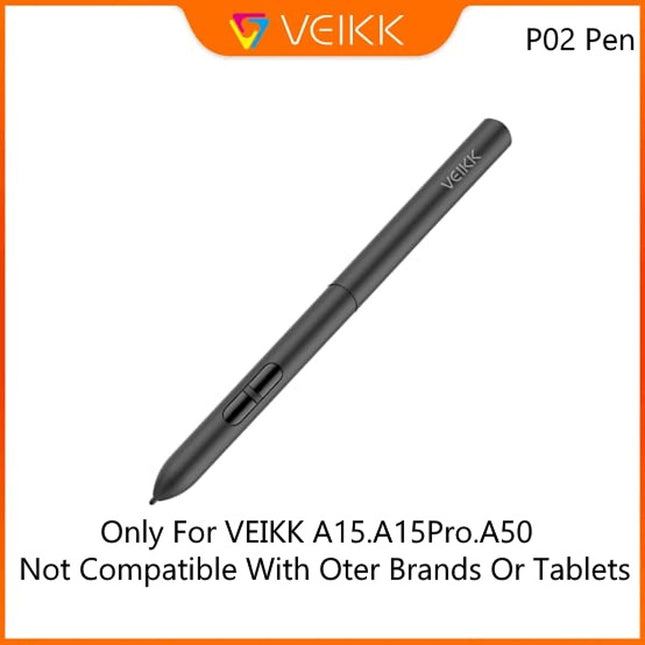
Suitable for VEIKK Graphic Drawing Tabblet A50 and A15 and A15Pro
Replacement for Graphics Drawing Stylus
Package Contain:1 Pen and 1 Pen Bag
Battery free:there are not charged
VEIKK is specialized in manufacturing graphic drawing tablets and pen displays. Our factory has our own R&D and production line with experienced technicians and designers. Either you are a beginner or professional ,you can always find one which can satisfy your requirement. Veikk digital drawing tablets assist artists expressing themselves more easily and make their drawings more vivid.
IMPORTANT NOTICE:
1.Veikk A50 is NOT a standalone product
2. Driver Download Please download the updated driver from VEIKK official website
3. Driver Installation Please make sure there is no any other tablet drivers on your computer to avoid drivers conflict issue. Turn off all drawing programs and anti-virus programs before installing VEIKK driver. If your operating system is the newest Mojave10.14, please add the “Tablet Driver Center” into the white list first after installing the driver on your computer.
4. Driver Download and Installation Tips
Driver Download: Our driver will be regularly updated, so please go to official web to download the newest driver, and install it on your computer. When you meet problems with the use of the Veikk A50, please checks the Quick Guide, we are always standing by help~
Free Your Mind !
Gesture Touch Pad and 8 Hot Keys
Unique gesture pad can zoom in/out the canvas and brush, which inncrease convenience and painting efficiency.
Eight hot keys can be customized according to your need.
10X6 Inch Large Drawing Area
Ultra big drawing area,this drawing pen tablet is big enough so that you will not feel uncomfortable when drawing or move your arm.
The thickness is only 9mm,weight 535g, you can carry Iit anywhere without any burden.
Designed for both right and left hand users.
8192 Levels Sensitivity Battery-free Pen
The 8192 levels sensitivity battery-free pen providing you smooth experience.
Line is fine,delicate and natural with no delay and broken line.
Battery-free pen features you the ability to work without any re-charge
Big Drawing Area
Type C Interface Port
Specialized type C interface port,can easily plug with either direction which is more convenient and stable.
The 8192 levels sensitivity battery-free pen providing you smooth experience.Line is fine,delicate and natural with no delay and broken line.
250 PRS Reading Speed
Advanced 250 PRS reading rate more accurate and efficient.
Resolution: 5080 LPI
Reading Height: 10mm
Compatible with Almost Software
Compatible with Mac and Windows System,works with almost drawing software such as Photoshop,SAI,AI,Autodesk SketchBook ,Zbrush,Krita,Maya,and More.
Kindly go to our website download our latest driver for your graphic drawing tablet.
More question please contact our online service or service email.
Package Contain:
1 x Pen Tablet
1 x Passive Pen
8 x Replacement Nibs(Including one pen clipper)
1 x Pen Pocket
1 x USB Cable(Type C)
1 x Quick Guide
1 x Driver Download Reminder
Specification :
Product Dimension: 375mm (L) x 240mm (W) x 40mm (H)
Active Area:10 x 6 inch Pen Pressure: 8192 levels Data Report Rate:250pps Reading Height:10mm
Applications:
.Painting field:Animation, Cartoon ,Comic, illustration,Sketching;
Education field: Art and design education;
Electronic signature field: government, banking, medical, hotel, insurance and so on.
HUION Scribo PW310:
The first neutral pen produced by HUION. You can see what your drawing on paper and screen at the same time. It comes with 3 different refills (1.Ballpoint pen refill 2.Gel ink pen refill 3.POM refill)
① Applicable model:
Tablets such as H640P, H950P, H1060P, H1161, WH1409 V2, Q11K V2, H320M, q620M, HS64, HS610, HS611, H610PRO V2, digital screens such as Kamvas Pro 22 & 22 (2019), and the A4, A5 Bluetooth handwriting tablet (only 2048 pressure sensitivity is supported on A4 and A5) and other products
② See what your drawing:
You can see what your drawing is on paper and screen at the same time.
③Comes with three refills:
Ballpoint Pen Refill×1 Gel Ink Pen Refill×1 POM Refill×1
④Other advantages:
1. 8192 levels 2. Battery-free 3. It is easy to replace the pen refill that can draw 500 meters (ball refill) / 300 meters (gel ink refill); 4. Applicable with multiple Huion tablets; 5. 0.8mm (ball refill) / 0.5mm (gel ink refill) of line width is more comfortable for users as they use the pen for drawing, teaching and signing. 6. The appearance and weight of the digital pen PW310 is more similar to a regular pen, thus ensuring a pen-like experience.
1. Deco 03 is NOT a standalone product!!!
This device must be connected to a laptop/computer to work. It is compatible with Windows system 10/8/7(32/64bit), Mac OS X version 10.10 or later.
2. About the Product Surface
Electronics products often come with protective covers(plastic layer) to avoid damages to the surface from hand grease, scratches, etc. If there are any air bubble or light scratches when you first get the tablet, please do not misunderstand it have been used, just need to remove the protective covers(plastic layer) before application.
3. Connection Tips
Your computer needs to have USB port for the connection. Please confirm the Black USB Cable completely plug into your computer.
If your computer only have Type-c ports, you need an adapter for the connection.
3.1 Wireless connection: When you have problem when using the wireless mode, please follow below steps to adjust:
1-With the Deco 03 switched “off”, insert the included USB wireless receiver into your computer USB port.
2-Place the Deco 03 in range of the receiver.
3-Press and hold the “K1” shortcut key while switching the Deco 03 “ON” to activate the tablet.
4-If successful, the Deco 03’s green wireless indicator light will light up and remain on. If the indicator light does not light up, please repeat the step 1 and step 3.
3.2 Other Tips: After setting up the cable, please wait about 30s~1min to make the USB drive loaded successfully.
4. Driver Download and Installation Tips
Driver Download: Our driver will be regularly updated, so please go to our official web to download the newest driver, and install it on your computer.
4.1 Before Driver Installation:
Please Remove Other Brand’s Driver from your computer and reboot before installing the XPPen’s driver, or there will driver conflict problems.
4.2 For Windows Users:
Please close all drawing programs and run the driver as Administrator when installing the driver. (IMPORTANT)
4.3 For Mac Mojave (10.14), Catalina (10.15) Users:
Mac Mojave 10.14 or Above needs to add the "PenTabletSetting" and "PenTabletDriverUX" into the accessibility list first after installed XPPen Driver. Details steps please see the FAQ section on the XP-PEN web.
Mac Mojave (10.14) or above OS upgrade in the security section, you need to put programs you newly downloaded into accessibility list first to normally use it.
5. XPPen Provides Support on all Our Drawing Pen Tablets/Displays
When you have problems with the use of the Deco03, please checks the Quick Guide, search XPPen online to find a way to us for further assistance, we are always standing by to help
Newest PN05 with 8192 Levels
Our latest P05 stylus comes with 8192 levels of pressure sensitivity, making it durable and fit comfortably in your hand, the report rate has increased to 266 RPS, to make lines flow smoother and perform better. Latest Multi-function Pen Holder. It can keep your pen, pen nibs and USB receiver safe. Also can be used as a pen holder, it's convenient for you to take everywhere.
New Type-C USB Port
The Deco 03 comes with the new Type-C USB cable so you can easily plug it into the tablet with ease, comes with 10 x 5.62 inch working area, so you have more space to create and get work done.
Deco 03 is super thin with only 8mm thick, so you can carry it anywhere without any burden.
Wireless or Wired Connection
The Deco 03 features both wired and wireless USB capability: Simply plug the included ISM 2.4G USB receiver into your computer to draw wirelessly, or connect the Deco 03 to your computer with the included USB cable for standard wired use.
Designed for both right and left hand users, now you can set it to left hand or right hand mode through easy access.
A Beloved Multi-function Red Dial
Deco 03 refines it even further with a multi-function Red Dial. Crafted from anodic oxidation aluminum for a satin-like finish, this Dial is designed to fit comfortably in your hand and break through the traditional graphics tablet design.
And the six customizable express keys that fits easily to your finger tip. With its blind spot reduction design, it will help you find the position of your express keys efficiently.
The driver allows the shortcut keys to be attuned to many different software.
Application Scenarios
We are dedicated to providing state-of-the-art digital tablets with all the latest technology. We tirelessly research and innovate new ways to improve the user experience of our products.
Our drawing tablet applicable to drawing, illustrative, image editing, sketching, handwriting recognition, online education and other usages.
Compatible with Most Operating Systems and Applications
Compatible with Windows 10/8/7, Mac OS version 10.10 and above.
Compatible with Photoshop, SAI, Painter, Illustrator, Clip Studio, and more.
Compatibility is always being steadily improved through driver updates. Please go to the official website to download the latest driver for your graphic drawing tablet.
XPPen Deco03 Graphics Tablet Also Can Be Used for Online Teaching/E-learning/Remote Work
1. Online Teaching. Teachers and students can create and explain interactive content visually by writing, editing, and annotating directly in files and sharing their screen in real-time.
2. Web-conference. The Deco 03 pen tablet allows you to start broadcasting for distance education or web conferencing, entering an interactive classroom or meeting room anytime, anywhere.
3. E-Learning. XPPen graphics tablets make your education journey much smoother and easier, and your education broadcasting more intuitive and attractive.
4. More to Explore. Simultaneous digital inking with an XPPen drawing tablet compatible with Microsoft Office apps like Word, PowerPoint, OneNote, etc. Visually present your handwritten notes, signatures precisely, and more.
【Unique Touch Pad Design】: The VEIKK A30 graphic tablet features a unique touch pad design with 4 touch keys and one gesture pad. Its modern design appeals to younger users and provides a perfect touch experience, offering stable performance for your artistic endeavors
【8192 Levels Pressure Sensitivity】: With 8192 levels of professional pressure sensitivity, the VEIKK A30 delivers exquisite strokes, making lines smoother and more natural. The battery-free pen allows for constant uninterrupted drawing, without the need for charging or batteries
【Versatile Digital Art Tablet】: The VEIKK A30 digital art tablet is specifically designed for drawing, design, online education, e-signature, as well as photo and video editing. It offers compatibility with Windows 7 or later , Mac OS 10.12 or later, Android 6.0 or later and Linux, ensuring you can start your artwork in most software such as Adobe Photoshop, SAI, Adobe Illustrator, Corel Painter, Clip Studio, SketchBook, MediBang, Zbrush, Krita, Gimp and more
【Ultra-Large Drawing Area and Convenient Type-C Port Design】: The A30 pen tablet boasts a 10x6 ultra-large drawing area, providing ample space for artistic creation. It features a type-C port design, allowing for convenient plug-in and out with either direction, ensuring stability and ease of use. Also, it suits for both right and left hand users
Feel Every Unique Touch Moment
By default, The A30 Graphics Tablet's Touch keys functions are set up for Photoshop. All touch keys can be customized to different functions on driver according to your drawing habit. With the TrackPad, you are able to rapidly adjust brush size, hardness, flow, and opacity, as well as perform actions like zooming in and out and dragging an image.
Easy Connect
NOT a standalone product. Compatible with Windows 7 or later, Mac OS X 10.12 or later, Android 6.0 or later and Linux.
Battery-free,High Performance
8192 levels of pressure sensitivity, 290 PPS and 60° tilt battery-free stylus constantly deliver precise and natural lines and strokes.
Large Creative Area
10 x 6 inch large working area, which provides more space for art creation. Only 9 mm thickness and 570g lightweight, it’s portable to take anywhere.
Multi-Software Support
Compatible with most software,such as Adobe Creative Software, Sai, Corel Painter, MediBang Paint,Clip Studio, Krita, ibisPaint,Zbrush, Zoom and etc.
Draw, Write and Learn with A30 Drawing Pad
Supports digital drawing, painting, sketching, E-signatures, E-learning, remote work, photo editing, etc. One pen tablet, can be used for at least 5 different fields.
A30 Graphics Drawing Tablet Technical Specificatio
Dimension
332mm x 212mm x 9mm
Pressure Sensitivity
8192Levels
Tilt Support
±60°
Working Area
10 x 6 inch
Report Rate
290 PPS
Pen Resolution
5080 LPI
Reading Height
10 mm
Interface
USB-C
Net Weight
570g
Keys
4 Touch Keys & Gesture Touch Pad
Pen
Battery-free Pen P01.
【Wireless Connection】Support both 2.4 GHz wireless or wired modes, equipped with 1100mAh lithium-ion battery it only need 1.2-3 hours quick charging and will provide up to 20 hours continuous working. 8 LED Lights will indicate the status of the tablet and battery consumption.
【Dial & Shortcut Keys】 Features of Dial Controller can be programmable on the driver by default. While Windows Radial features will be activated once you select “Use Windows Radial” via the driver.8 Press Shortcut keys can increase your work efficiency.4 anti-slip rubbers to ensure the tablet stability.
【Just Like a Real Pen】 Battery-free stylus no need to be charged and 8 pen nibs inside the pen holder for replacement. 8192 levels pressure sensitivity, ±60° tilt function offer better and precise control of drawing lines in digital drawing and photo-editing. There are also 2 buttons on the side of the pen for you to set up shortcuts to the functions you want. (set via driver)
【Large area, light weight】10.5X6.56 inch huge pen tablet and it’s only 666g weight 8mm thickness. The space area can meet most of the needs of work or study, lighter weight also makes it very convenient to carry out, combined with wireless and can be connected to cell phones (Android), so that your work and study life becomes more convenient.
【Software Support】Our drawing tablet allows you to set specific key functions for specific software through drivers. This means that you can make the same shortcut keys function differently for different software. Drawing Software Support: PS, SAI, CorelPainter, Illustrator, SketchBook Pro, Manga Studio, Krita and more.
The new designed Inspiroy Dial Q620M Graphics Drawing Tablet made of superior ABS plastics and metal, Inspiroy Dial distinguishes itself with exclusive aesthetic design and exquisite workmanship. Dial Controller offers users creative shortcuts and is compatible with Windows Radial Controller Protocol. Features of Dial Controller can be programmable on the driver by default. While Windows Radial features will be activated once you select “Use Windows Radial” via the driver.
Unique Dial Controller & 8 Press Keys
8 Press Keys on graphics tablets increase your work efficiency, 4 anti-slip rubbers to ensure the tablet stability, Dial controller and express keys are programmable via the driver, without which they can only serve with the default function.
Long press the key on the center of the Dial Controller to call up a tool menu, users can use Dial Controller to adjust the brush size, pick the color and scroll through the pages, etc.
Wired or Wireless Working Mode for More Free
2 modes of connecting ways suits different working environment.
Built-in 2.4GHz USB receiver connect tablet and computer without any cable help to keep a clean and simple desk. The high-speed wireless connection function can transmit signal at a available distance of 10 meters.
Amazing Battery life& LED Indicators
Inspiroy Dial Q620M can be charged via 5V 500mA or 5V 1A power supply, and get a full charge, 20 hours of use, from a 1.2-hour quick charging.
There is a LED light embedded in the eight press keys respectively, which can indicate the remaining battery power, low battery and the consumption of the power in real time.
Power On (wired & wireless)
Power Off/Sleep(wired & wireless)
Battery Charging(wired only)
Low Battery(wireless only)
Battery-free Pen & Tilt Function
The PW100 battery-free pen , No need to charge, so you can start creating immediately. Besides, it also comes with a newly designed pen holder which included 8 pen nibs inside.
Adopting the advanced pen tilt technology, the PW100 pen supports±60 levels tilt recognition, making it performs like traditional brushes, pencils and markers. You can have more fun when drawing with it!
Larger Workspace & Wider Compatibility
Made of superior ABS plastics and metal, Inspiroy Dial distinguishes itself with exclusive aesthetic design and exquisite workmanship. 10.5X6.56 inch huge workspace and it’s only 666g weight 8mm thickness.
Q620M compatible with Windows 7 or above /Mac OS 10.12 or above/ Android 6.0 or above( NOT suitable for iphone/IPad).
What's in the Box?
Pen Tablet*1
Battery-free Pen*1
Wireless Receiver*1
USB-C Cable*1
USB-C Adapter*1
Pen Holder*1
Pen Nib *10
Nib Clip*1
Glove*1
Quick Start Guide*1,
Large Work Area - HUION Inspiroy H610X drawing tablet comes with 10x6.25 inches work area for drawing, sketching and modeling, which can match the screen of most laptops to assist you in better creation
Matte Surface - The newly upgraded matte surface and fully covered panel bring you a natural pen-on-paper drawing experience and a tidy desk
Online Teaching and Learning - With the PW100 battery-free stylus teachers and students can write, calculate, annotate or teach like in the classroom. Inspiroy H610X is ideal for science subjects like biology or physiology, as teachers can write formulas and equations or annotate abstract shapes, and students can take notes, share work and solve problems through video apps. It’s compatible with Word, PDF, OneNote, Zoom and so on
±60° Tilt Function - H610X is equipped with ±60° tilt function to provide smoother and more natural lines when you choose different brushes, making your creation more realistic
8192 Pen Pressure - The standard 8192 pressure sensitivity and 5080LPI pen resolution feature accurate, stable, and smooth drawing experience, offering you a professional and reliable device
8 Customized Press Keys - With the 8 programmable press keys you can access your most frequently used functions via a single press to work with higher efficiency
The Ergonomic Design - narrow frame palm area and rounded corners can reduce the fatigue of hand after long hours of work. You can also rotate the pen tablet to 90°, 180° or 270° to suit your habits in the driver
Compatibility - H610X is compatible with not only Windows 7 and above, macOS 10.12 and above, Linux(Ubuntu), but also Android devices (OS 6.0 and above). It also supports online class and digital painting in most programs including Adobe Photoshop, SAI, illustrator, corel draw, corel painter, sketchbook and more
1.Type-C interface is more convenient than the Micro USB interface of Wacom CTL-672.2..8 programmable press keys makes H580X more efficient
USB Adapter
The Type-C adapter that comes with the pen tablet is for the connection to Android devices or Chromebook.
1. Full cover panel design makes H610X more stylish and compact.2. The thickness of H610X is decreased from 10mm to 8mm and the weight is reduced to 120g, which is thinner and easy to carry.3. The mini USB interface is replaced by the more foolproof Type-C interface.4. The driver is upgraded to the more versatile and professional Driver V15.5. Support both left and right handed users.6. Narrow bezel palm rest area for fatigue release.7. The aspect ratio of working space under phone mode is 18:9, which is more suitable for the phones nowadays.8. Compatibility with Chrome OS.
1. Battery-Free Electromagnetic Resonance ----- the EMR technology frees your pen from battery and charge.2. 10mm Sensing Height----- the pen and tablet can respond to each other within 10mm of sensing distance.3. Two Programmable Buttons----- convenient and easy to use.
Lightweight and easy to carry——with only 7mm-8mm thickness, these pen tablets are very space-saving.
Full cover panel design—— brings smooth drawing experience. Compared with their predecessors, H420X/H580X/H610X are more compact and stylish without compromising the working area.
Popular Choice for Artists
Inspiroy H610X comes with a 10 × 6.25 medium-size panel, which is popular among many artists because its size can match the screen of most laptops. You can also use the shortcut keys on the left side for higher productivity.
Phones/ tablets running Android 6.0 or above versions are supported.Connect your phone to the pen tablet via a USB-C to USB-C cable and the phone mode will be activated automatically. In case that the phone mode did not be activated, press and hold 【K1】+【K4】for 3 seconds to activate the phone mode manually.
1.Digital pen PW1002.Pen holder PH03 (not come with H410X)3.Pen nib x 84.USB-C adapter5.USB-C cable6.Quick start guide.
Drawing glove made of soft and smooth elastic fiber material, durable and very comfortable to wear
Gloves, design for light box or graphic tablet drawing, ideal for right hand and left handFinger
Glove Reduces the friction between your hand and the tablet surface, prevent the scratches
Artist glove is designed with padding patch, which effectively prevent the capacitive touchscreen detecting the palm, no more unwanted dots and strokes caused by hand touches.